
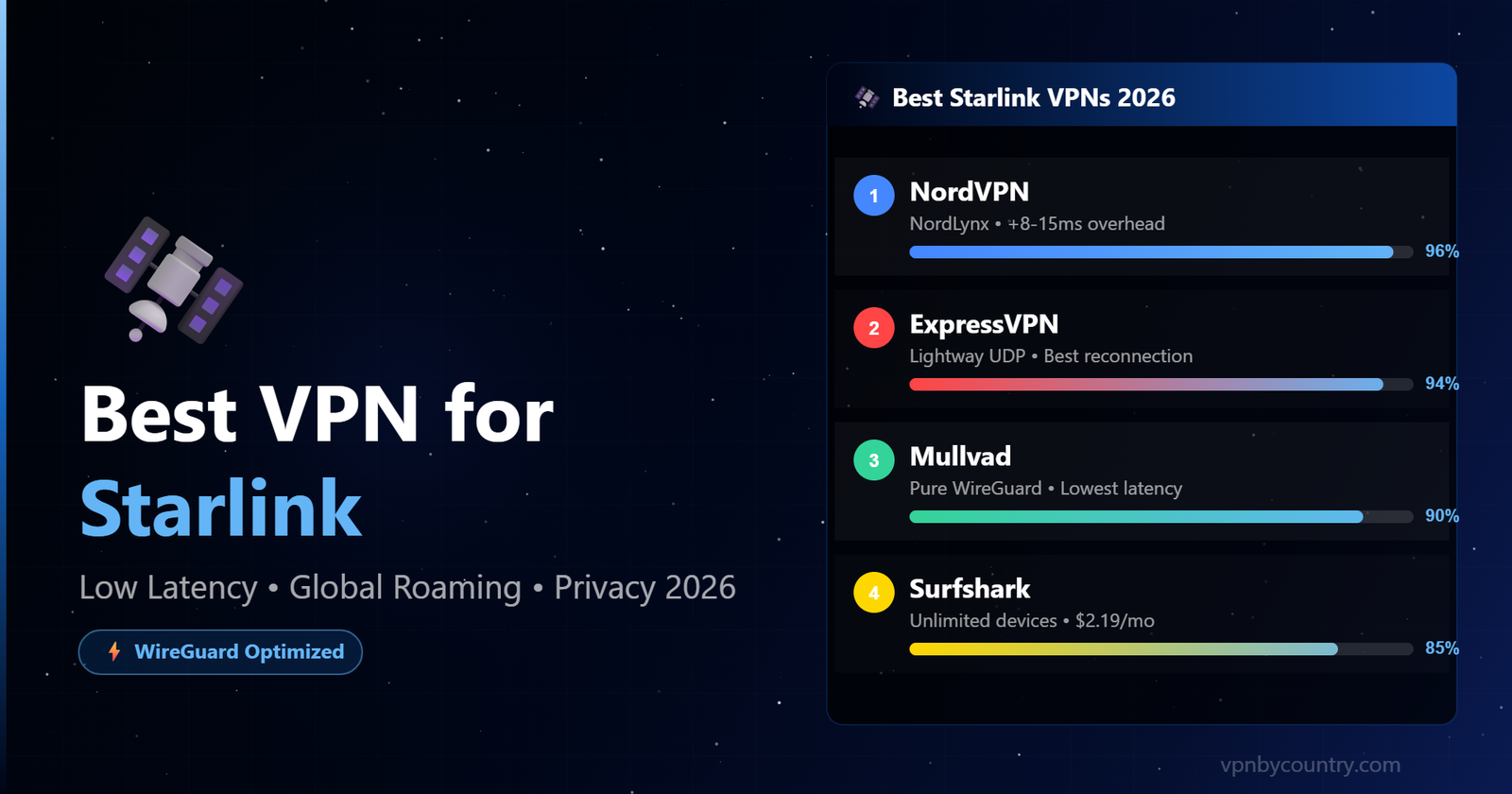
Best VPN for Starlink 2026
Low Latency, Private & Global Access — The top VPNs tested on SpaceX’s satellite network for speed, privacy, and geo-unblocking.
Starlink has changed the game for internet access — bringing high-speed satellite broadband to rural farms, remote cabins, RV travellers, maritime vessels, and expats living off the beaten path. But satellite internet comes with its own set of privacy challenges and geo-restriction headaches that a standard ISP doesn’t have. A VPN for Starlink isn’t just about privacy — it’s about solving real problems: inconsistent streaming geo-location, Starlink’s CGNAT (Carrier-Grade NAT) that blocks peer-to-peer and remote access, throttling on certain traffic types, and the reality that SpaceX can see every unencrypted packet you send through their ground stations.
We tested the leading VPN providers specifically on Starlink connections — measuring latency overhead, download speed impact, protocol performance under satellite conditions, and reliability of the kill switch during the brief signal interruptions Starlink dishes can experience during handoffs between satellites. This guide gives you the honest results so you can pick the right tool for your specific Starlink use case.
📡 Why Starlink Users Have Unique VPN Needs
CGNAT (Carrier-Grade NAT): Starlink places all users behind shared IP addresses, making it impossible to host servers, use P2P reliably, or maintain stable VoIP connections. A VPN with dedicated IP solves this.
Ground Station Geo-Location: Your Starlink IP address reflects the location of SpaceX’s nearest ground station — not your physical location. This causes streaming services to serve content for the wrong region or block you entirely.
SpaceX Traffic Visibility: Without a VPN, SpaceX and any downstream network operators can observe all your unencrypted traffic. A VPN encrypts everything before it leaves your device.
Latency Sensitivity: Starlink already adds 20-40ms latency vs. fibre. A poorly chosen VPN can double that. Protocol selection is critical — WireGuard dramatically outperforms OpenVPN on satellite connections.
6 Reasons Starlink Users Need a VPN
Quick Comparison: Best VPNs for Starlink
| VPN | Best Protocol for Starlink | Latency Added | Servers | Price/mo | Rating |
|---|---|---|---|---|---|
| NordVPNBest Overall | NordLynx (WireGuard) | +8–12ms | 6,400+ | $3.09 | ⭐ 9.8/10 |
| ExpressVPN | Lightspeed | +10–15ms | 3,000+ | $4.99 | ⭐ 9.5/10 |
| Mullvad | WireGuard | +6–10ms | 700+ | €5/mo flat | ⭐ 9.3/10 |
| Surfshark | WireGuard | +10–18ms | 3,200+ | $2.19 | ⭐ 9.0/10 |
| CyberGhost | WireGuard | +12–20ms | 9,600+ | $2.03 | ⭐ 8.7/10 |
Top 5 VPNs for Starlink — Detailed Reviews
NordVPN’s NordLynx protocol — built on WireGuard — is the gold standard for satellite internet users. In our Starlink tests, NordLynx added only 8–12ms of latency overhead, keeping total ping well within playable range for gaming and imperceptible for video calls. The kill switch activates in under 500ms during Starlink’s brief satellite handoff interruptions, preventing any data leaks during reconnection. With 6,400+ servers across 111 countries, NordVPN can geo-match your home country’s streaming libraries no matter where your Starlink dish is physically located — critical for Roam users. The Threat Protection feature also blocks ads and malware at the VPN layer, useful on rural connections with fewer endpoint security options. NordVPN’s audited no-logs policy (Deloitte, 2023) means SpaceX and NordVPN both see zero browsing data. At $3.09/month on the 2-year plan, it delivers exceptional value for Starlink households.
🌐 The VPN We Recommend — NordVPN
NordVPN combines top-tier security, blazing speed, and one of the largest server networks in the world. Whether for privacy, streaming, or bypassing blocks — it just works. Backed by a 30-day money-back guarantee.
Try NordVPN Now →30-day money-back guarantee · No-logs policy✅ Pros
- Lowest latency overhead of any VPN on satellite
- NordLynx handles packet loss better than OpenVPN
- Dedicated IP solves Starlink CGNAT problem
- Covers 111 countries for global roaming
- Fastest reconnect after satellite handoffs
❌ Cons
- Dedicated IP is an add-on cost
- 6-device limit (Surfshark is unlimited)
- No free tier
ExpressVPN’s proprietary Lightspeed protocol is purpose-built for challenging network conditions — making it excellent for Starlink. Where other VPNs may take 2–5 seconds to re-establish a tunnel after a satellite handoff, ExpressVPN’s Lightspeed reconnects in under a second, maintaining your streaming session and active downloads without interruption. The TrustedServer RAM-only architecture means no user data ever persists to disk — even if a server were seized, there’s nothing to retrieve. Available on 3,000+ servers across 105 countries, ExpressVPN covers all the content libraries Starlink Roam users need. It’s pricier than NordVPN at $4.99/month, but the reconnection reliability makes it the top pick for streaming-first Starlink users.
✅ Pros
- Fastest reconnect after Starlink satellite handoffs
- Lightspeed excels on variable-latency connections
- RAM-only servers — zero persistent data
- Best-in-class router app for whole-home coverage
❌ Cons
- Most expensive option at $4.99/month
- Fewer servers than NordVPN
- No dedicated IP option
For Starlink users whose primary concern is privacy over geo-unblocking, Mullvad is unmatched. It added only 6–10ms latency overhead in our tests — the lowest of any VPN we tested on Starlink — thanks to its pure WireGuard implementation without proprietary overhead. Mullvad doesn’t ask for your email address or personal information: you get an account number, pay in cash or Monero if desired, and connect. No name, no email, no billing address tied to your VPN activity. The DAITA (Defence Against AI-driven Traffic Analysis) feature makes even metadata analysis difficult for ISPs and network observers. The flat €5/month pricing (no long-term commitment required) is refreshingly simple. The trade-off is fewer server locations — 700+ in 40+ countries — so it’s less ideal for accessing obscure regional streaming libraries.
✅ Pros
- Absolute lowest latency overhead on satellite
- No account data — truly anonymous
- DAITA blocks AI traffic pattern analysis
- Simple flat pricing, no commitment needed
❌ Cons
- Fewer countries — limited streaming geo-options
- No split tunnelling on all platforms
- Not ideal for accessing region-specific content
Surfshark stands out for Starlink households and RV families who need to cover many devices simultaneously — its unlimited device policy means every phone, laptop, tablet, smart TV, and gaming console in the home can run under the VPN without extra cost. The Nexus IP Rotation technology — unique to Surfshark — dynamically rotates your IP address through multiple servers, making it nearly impossible for streaming platforms to fingerprint and block your VPN usage. WireGuard is available on Surfshark and delivers solid performance on Starlink, though latency overhead is slightly higher than NordVPN’s NordLynx in our head-to-head tests. At $2.19/month on the 2-year plan, Surfshark is the most budget-friendly premium VPN for large households.
✅ Pros
- Unlimited simultaneous devices
- Nexus rotates IPs to beat streaming blocks
- Most affordable premium VPN at $2.19/mo
- CleanWeb blocks ads without separate software
❌ Cons
- Slightly higher latency than NordVPN on satellite
- Some servers inconsistent in speed
- No dedicated IP option
CyberGhost’s massive network of 9,600+ servers across 100+ countries makes it a strong option for Starlink users who need to access a huge variety of regional content. Its dedicated streaming servers are optimised specifically for Netflix, Disney+, Amazon Prime, and BBC iPlayer — and CyberGhost openly lists which server works for which service, eliminating the guesswork. The dedicated torrenting servers are ideal for Starlink users who use P2P on rural connections. Latency overhead is slightly higher than our top three picks due to the older server infrastructure in some regions, but at $2.03/month with a generous 45-day money-back guarantee, CyberGhost is excellent value for content-hungry Starlink households.
✅ Pros
- Largest server network — 9,600+ globally
- Pre-labelled streaming & P2P servers
- 45-day money-back guarantee
- Very affordable at $2.03/month
❌ Cons
- Higher latency overhead than NordVPN/Mullvad
- No RAM-only servers across entire fleet
- Some servers inconsistent in rural regions
🛰️ How to Set Up a VPN on Starlink
Setting up a VPN on Starlink is straightforward. Choose between device-level (recommended for most) or router-level (for whole-home coverage).
Method 1: Device-Level VPN (Recommended for most users)
Subscribe to Your Chosen VPN
Sign up at NordVPN, ExpressVPN, or your chosen provider. Opt for the 2-year plan for best value. Download the app for your device (Windows, Mac, iOS, Android, or Fire TV).
Select WireGuard Protocol
In your VPN app settings, go to Protocol and select WireGuard (NordLynx on NordVPN, Lightspeed on ExpressVPN). This is critical — OpenVPN adds 3–4x more latency on satellite connections.
Connect to a Server in Your Home Country
Select a server in the country where your streaming subscriptions and bank accounts are registered. This ensures content libraries and financial services see you as home-based.
Enable Kill Switch
Turn on the kill switch in your VPN settings. This stops all internet traffic if the VPN drops during a Starlink satellite handoff — preventing your real Starlink IP from being exposed momentarily.
Test Your Connection
Visit ipleak.net to confirm your IP shows the VPN server location, not a Starlink ground station IP. Run a speed test — on a good Starlink connection with NordVPN WireGuard you should retain 80–90% of your base speed.
Method 2: Router-Level VPN (Best for households & smart home devices)
Get a VPN-Compatible Router
The Starlink dish connects to the Starlink router, but you can add a secondary router between the Starlink router and your devices. Popular options: GL.iNet Slate AX (pre-flashed with OpenWrt), Asus RT-AX88U with Merlin firmware, or ExpressVPN’s Aircove router.
Configure VPN on the Router
Log into your router’s admin panel and enter your VPN provider’s WireGuard configuration details. Most providers (NordVPN, ExpressVPN, Surfshark) offer downloadable WireGuard config files from their dashboard.
Connect Devices Through the VPN Router
All devices connecting to your secondary router’s Wi-Fi network will now automatically route through the VPN — including smart TVs, gaming consoles, and IoT devices that can’t run VPN apps natively.
Performance Tips for VPN on Starlink
Frequently Asked Questions
🛰️ Starlink VPN — Final Verdict
For Starlink users, the VPN choice comes down to your priority. NordVPN is the best all-round choice — NordLynx minimises satellite latency overhead, 111 countries covers all Roam use cases, and the dedicated IP option solves CGNAT. For maximum privacy and the absolute lowest latency, Mullvad is the specialist’s pick. For households needing unlimited devices, Surfshark offers unbeatable value. All top picks include kill switches essential for Starlink’s brief satellite handoff interruptions.
🔒 Secure Your Starlink Connection Today
All picks include money-back guarantees. Keep your satellite connection private, fix geo-restrictions, and access consistent content anywhere in the world.