
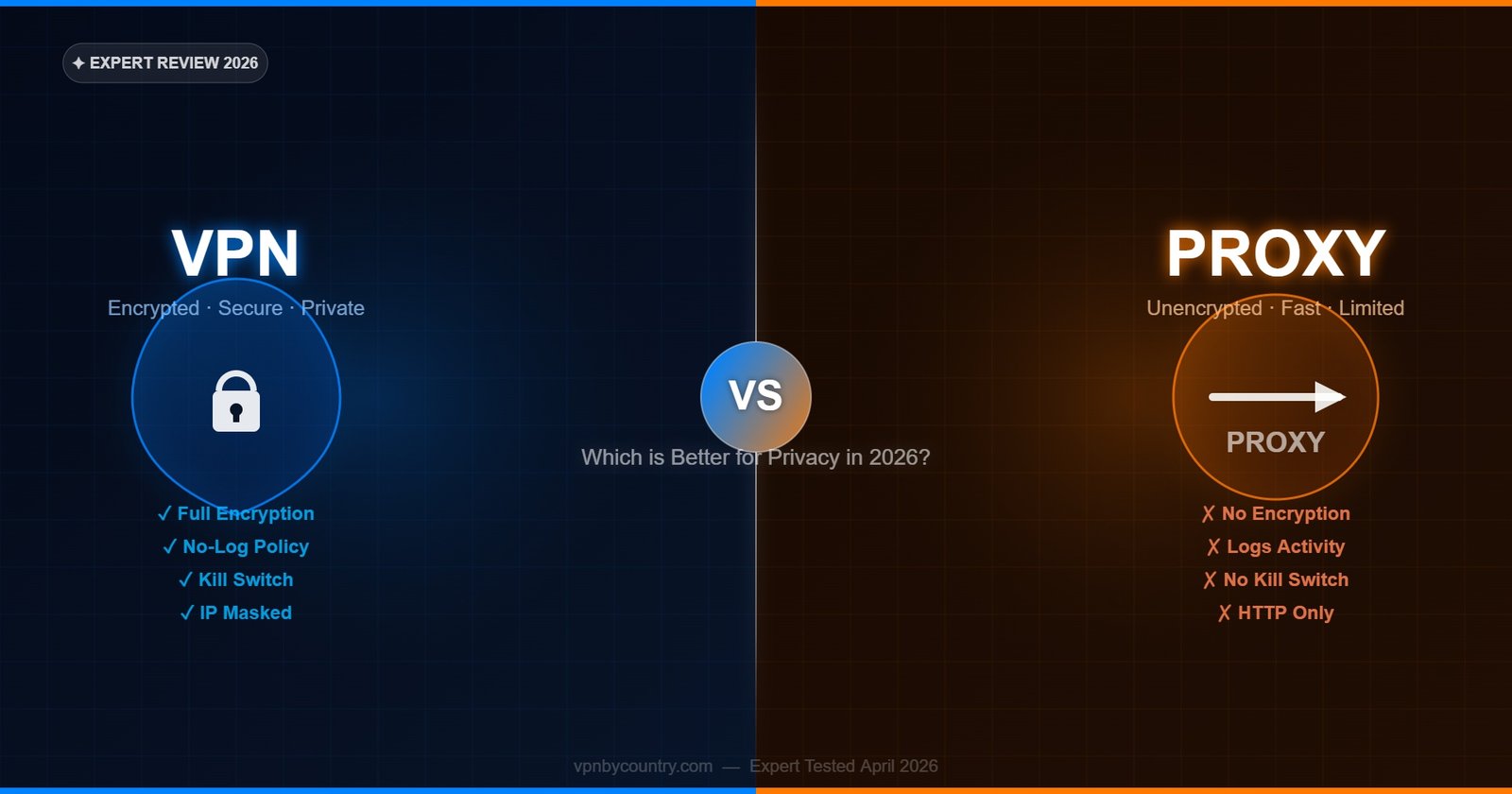
VPN vs Proxy: What’s the Difference?
Complete technical comparison — when each tool is right for the job, and when only a VPN will do.
VPN vs Proxy — The Core Difference
Both VPNs and proxies route your internet traffic through an intermediate server, hiding your real IP address from the destination. But this surface similarity obscures critical differences in how they work, what they protect, and how secure they are. A proxy is a single-purpose forwarding service — it routes specific traffic from a specific application through its server with no encryption. A VPN is a complete encrypted tunnel covering all traffic from every application on your device, with authentication, data integrity verification, and protection from surveillance at the network level. Understanding these differences determines which tool is right for your specific use case.
VPN vs Proxy: Side-by-Side Comparison
VPN — Full Protection
- Encrypts ALL traffic from ALL applications
- Covers every protocol: HTTP, HTTPS, DNS, UDP, TCP
- Hides traffic from ISP at the packet level
- Kill switch prevents IP leaks if connection drops
- DNS leak protection built in
- Works at OS level — cannot be bypassed by apps
- Authentication prevents man-in-the-middle attacks
- No-logs policy protects browsing history
- Works across all devices: PC, mobile, router
- Required for: streaming, torrenting, full privacy
Proxy — Application-Level Only
- Routes only specific app or browser traffic
- Typically handles HTTP/HTTPS or SOCKS5 only
- Does not hide traffic from ISP at packet level
- No kill switch — real IP exposes if proxy drops
- DNS may leak outside the proxy connection
- Can be bypassed by apps that don’t respect proxy
- HTTP proxies cannot authenticate traffic
- Often logs connections; many free proxies sell data
- Configured per-application, not device-wide
- Suitable for: simple geo-unblocking, speed testing
Full Technical Comparison Table
Swipe left/right to see full table
🏆 Our Top Pick — NordVPN
After testing dozens of VPNs, NordVPN consistently leads on speed, server count, and privacy features. With 6,400+ servers in 110+ countries, AES-256 encryption, and a verified no-logs policy — it’s the safest all-rounder for most users.
Get NordVPN — From $3.39/mo →30-day money-back guarantee · No-logs policy| Feature | VPN | HTTP Proxy | SOCKS5 Proxy |
|---|---|---|---|
| Encryption | Yes — AES-256 / ChaCha20 | No | No (optional add-on) |
| Traffic Coverage | All apps + OS | Browser/HTTP only | Single app |
| DNS Protection | Yes — encrypted DNS | No | Partial |
| Kill Switch | Yes (premium VPNs) | No | No |
| Speed | Fast (WireGuard) | Fast | Fastest |
| Authentication | Yes — mutual auth | No | Username/password |
| ISP Visibility | Hidden (encrypted) | Visible (destination) | Partially visible |
| IPv6 Handling | Blocked/tunneled | Not handled | Not handled |
| Setup Complexity | Simple (app install) | Browser settings | Per-app config |
| Best Use Case | Privacy + Security | Simple geo-bypass | Torrenting speed |
When to Use a VPN
A VPN is the right choice in the vast majority of use cases where privacy, security, or comprehensive IP masking is the goal. Use a VPN when you need to protect all traffic from your device — not just one application. Public Wi-Fi security requires a VPN because the threat (a malicious hotspot or packet sniffer on the network) can intercept traffic from any app, not just your browser. ISP surveillance bypass requires a VPN because ISPs see traffic at the network interface level, before any application-specific proxy can intervene. Streaming service geo-unblocking with services like Netflix requires a VPN because modern streaming apps send traffic through their own network stack that bypasses HTTP proxies configured in browser settings.
Remote work over unsecured connections requires a VPN for the same reason — corporate file access tools, email clients, and video conferencing apps all send sensitive traffic that an HTTP proxy would leave unprotected. Any use case involving persistent privacy rather than one-time geo-unblocking requires a VPN’s persistent, device-wide protection. NordVPN at $3.49/month provides the complete package: WireGuard-based encryption, kill switch, DNS leak protection, and coverage for up to 10 simultaneous devices.
When a Proxy Is Sufficient
Proxies have legitimate use cases where their lower overhead and simpler deployment is an advantage. SOCKS5 proxies — the most capable proxy type — are commonly used within torrent clients to provide IP masking specifically for torrent traffic without the encryption overhead of a VPN. This makes downloads marginally faster while still hiding your IP in the torrent swarm (though without a kill switch, IP exposure occurs if the proxy drops). NordVPN and several other premium VPNs provide SOCKS5 proxy access as part of their subscription, allowing users to get the speed of a proxy within their VPN infrastructure.
Web scraping and automated browser testing commonly use HTTP proxies to rotate IP addresses across many requests without VPN tunnel overhead. Simple geo-restriction bypass for single non-sensitive websites — checking a price, accessing a geo-blocked article — can be accomplished with a browser-configured HTTP proxy. Developers testing CDN behavior from different geographic perspectives often use proxies for speed and simplicity. In these specific technical contexts, a proxy is the appropriate tool. For everyday privacy needs of individual users, a VPN is almost always the better answer.
HTTP Proxy — When to use it
HTTP proxies are suitable only for routing browser traffic to access geo-blocked text-based websites. They provide no encryption, no DNS protection, and no kill switch. Never use HTTP proxies for sensitive activity, banking, private communication, or any task where interception of data would be harmful.
HTTPS Proxy — When to use it
HTTPS proxies (also called SSL proxies) encrypt the connection between your browser and the proxy server but not between the proxy and the destination. They are more secure than HTTP proxies for browser use but still only cover browser traffic and provide no kill switch or DNS protection. Better than HTTP proxies but still not equivalent to a VPN.
SOCKS5 Proxy — When to use it
SOCKS5 is the most capable proxy type, handling all traffic types (not just HTTP) at the application level. It is the preferred proxy for torrent clients — configured directly in qBittorrent or uTorrent settings to route torrent traffic through the proxy while other applications remain unaffected. SOCKS5 proxies are faster than VPNs for high-throughput tasks because there is no encryption overhead. NordVPN provides SOCKS5 proxy access alongside its VPN service — the best of both worlds for torrent users who want speed without abandoning their VPN subscription.
VPN vs Proxy: Real-World Use Cases
For Netflix unblocking: VPN required. Netflix detects and blocks datacenter proxy IPs more aggressively than VPN IPs. Premium VPNs like NordVPN rotate residential-style IPs and use SmartPlay to maintain consistent Netflix access, which proxies cannot replicate. For torrenting: SOCKS5 proxy within your torrent client is fast and effective for IP masking, but a VPN with kill switch provides superior protection against IP leaks if the connection drops. For gaming: VPN (specifically NordVPN with NordLynx) provides DDoS protection, low latency, and geo-access with a kill switch — proxies do not work at the game client level for most titles. For corporate remote access: VPN only — the entire premise of secure remote work requires encrypted tunnels that proxies cannot provide.
VPN vs Proxy FAQ
Is a proxy faster than a VPN?
SOCKS5 proxies are typically faster than VPNs for single-application high-throughput tasks (like torrenting) because there is no encryption overhead. However, the speed difference between a SOCKS5 proxy and a WireGuard-based VPN (NordLynx) is small — under 10% in most tests. For general browsing and streaming, VPNs using NordLynx or Lightway are fast enough that the difference is imperceptible.
Does a proxy hide your IP address?
A proxy hides your IP from the destination server — websites see the proxy server’s IP instead of yours. However, proxies do not hide your traffic from your ISP (who sees you connecting to the proxy), do not encrypt your data, and do not prevent DNS leaks. A VPN provides more comprehensive IP masking including hiding your traffic pattern from your ISP through encryption.
Can a proxy replace a VPN for privacy?
No. Proxies and VPNs serve different purposes. A proxy is a routing tool — it changes where your traffic appears to come from. A VPN is an encryption tool that also changes where your traffic appears to come from. For real privacy — protecting data content, preventing ISP surveillance, securing public Wi-Fi connections, and maintaining consistent protection across all applications — only a VPN is adequate.
What is a SOCKS5 proxy and how does it relate to VPNs?
SOCKS5 is a proxy protocol that forwards traffic at the socket level, handling all protocol types (HTTP, HTTPS, FTP, torrent protocols, etc.) rather than only HTTP like standard proxies. Premium VPNs like NordVPN include SOCKS5 proxy access as part of their subscription. Torrent users configure NordVPN’s SOCKS5 credentials directly in their torrent client for maximum download speed while the full VPN provides system-wide protection and kill switch coverage.
Is NordVPN a VPN, a proxy, or both?
NordVPN is primarily a full VPN service providing encrypted system-wide protection. It also provides SOCKS5 proxy access for subscribers who want to configure app-specific proxy routing (useful for torrent clients). Additionally, NordVPN’s browser extensions function as lightweight proxies for browser-only use when you want protection without running the full app. NordVPN covers all three use cases under a single subscription.
Which is better for Netflix — VPN or proxy?
VPN — specifically a premium VPN like NordVPN. Netflix has sophisticated detection for both VPNs and proxies, but providers like NordVPN invest heavily in IP rotation and SmartPlay technology to maintain consistent Netflix access. Free or cheap proxies are almost always blocked. A premium VPN with dedicated streaming optimization like NordVPN is the only reliable long-term solution for Netflix geo-unblocking.
VPN vs Proxy — Final Verdict
For real privacy and security, a VPN wins every time. NordVPN covers all apps, all traffic, and all devices with encryption, kill switch and no-logs. Try it free for 30 days.
Get NordVPN — Best VPN Choice →